Step-by-Step Guide
Follow these simple steps to create your tournament.
01
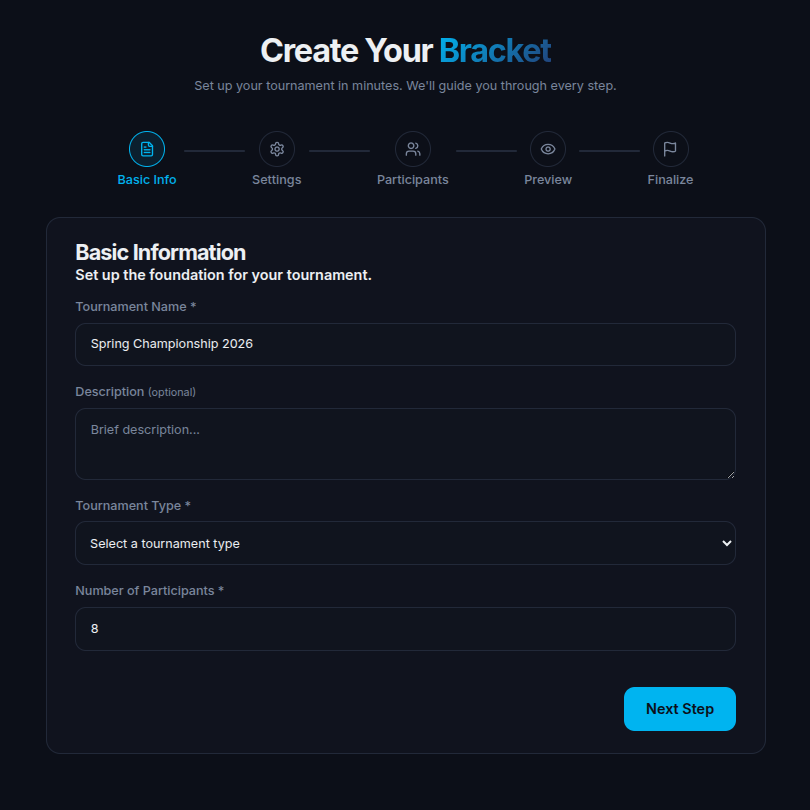
Step 01
Enter Tournament Details
Set a name and brief description to introduce your tournament.
- Enter a catchy tournament name
- Add a short description and rules
- Mention prizes and highlights
02
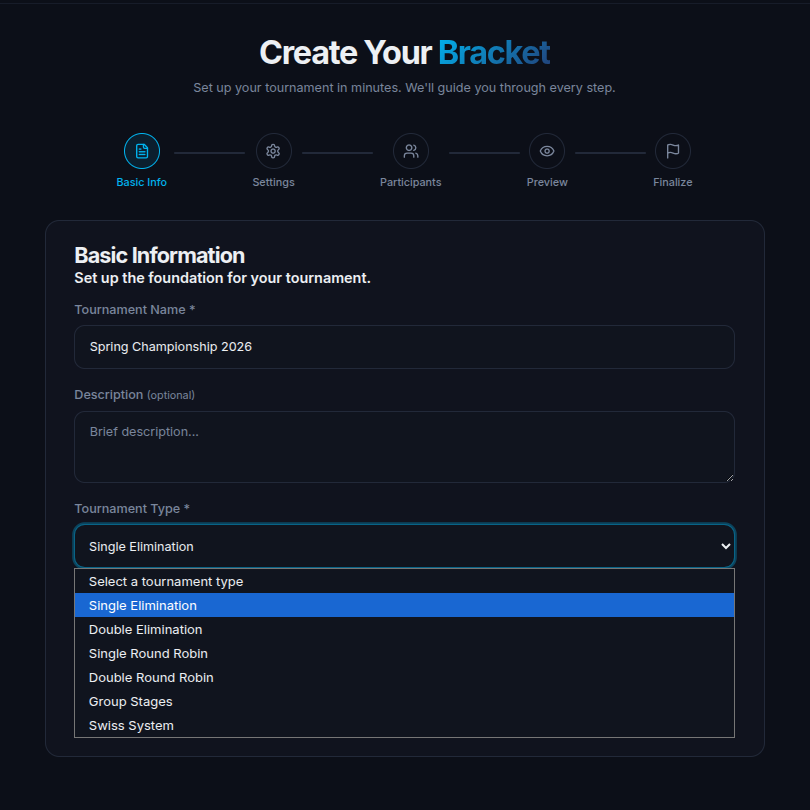
Step 02
Choose Tournament Type
Select from six tournament formats — single/double elimination, round robin, group stages, or Swiss system.
- Single Elimination — fast knockout format
- Double Elimination — second chance with losers' bracket
- Round Robin — every team plays all others
- Group Stages — divide into pools, top teams advance
- Swiss System — performance-based pairings
03
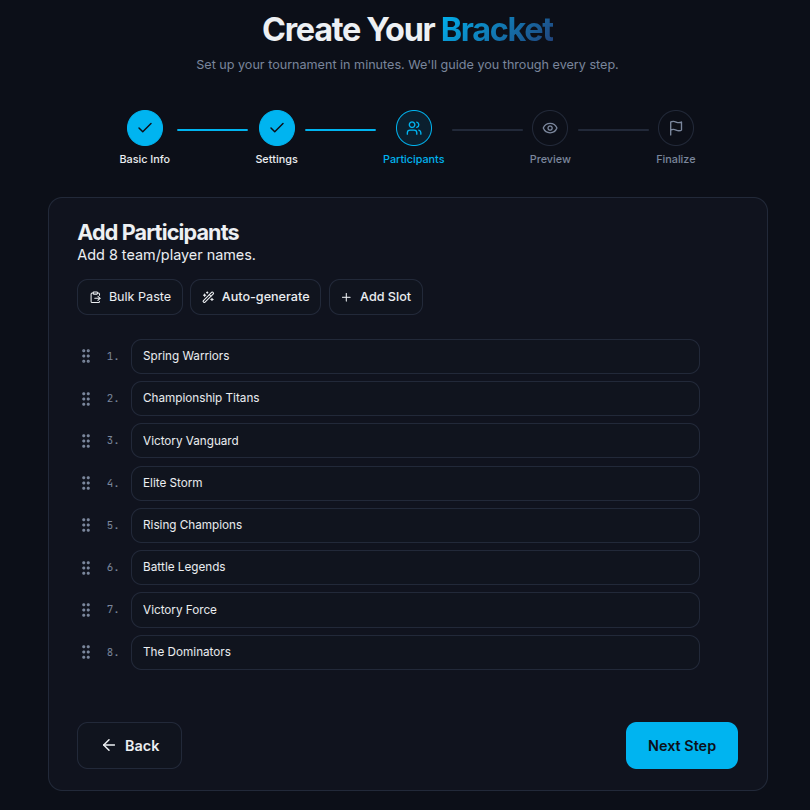
Step 03
Add Teams
Enter individual team names or simply specify the total number of teams.
- Manually enter team names
- Or just enter total number of teams
- Teams will be auto-arranged in the bracket
04
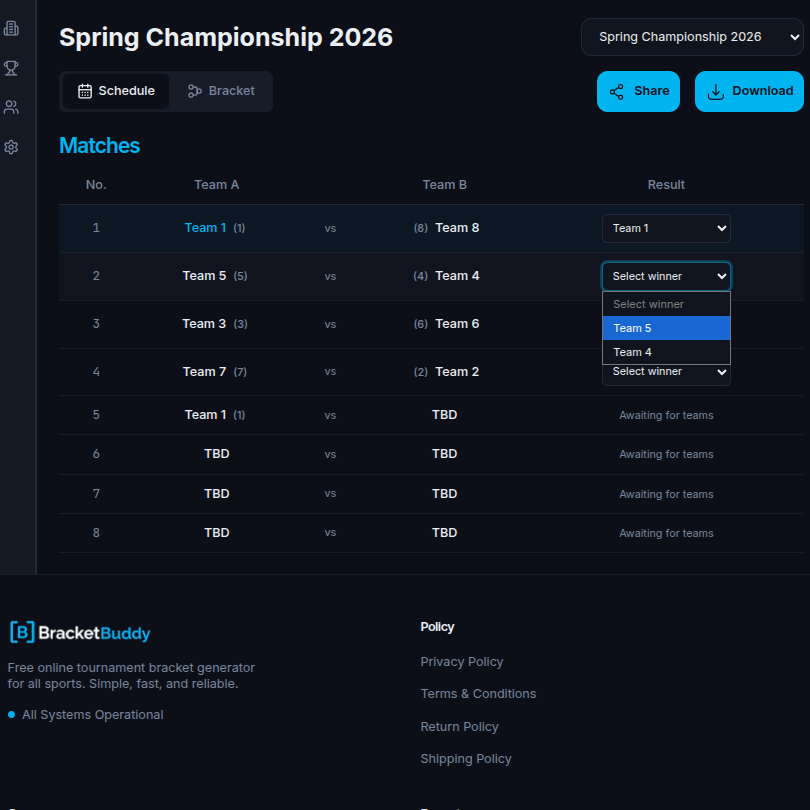
Step 04
Result Update
Edit and add any changes of any time.
- Select Winner
- Change Winner
05
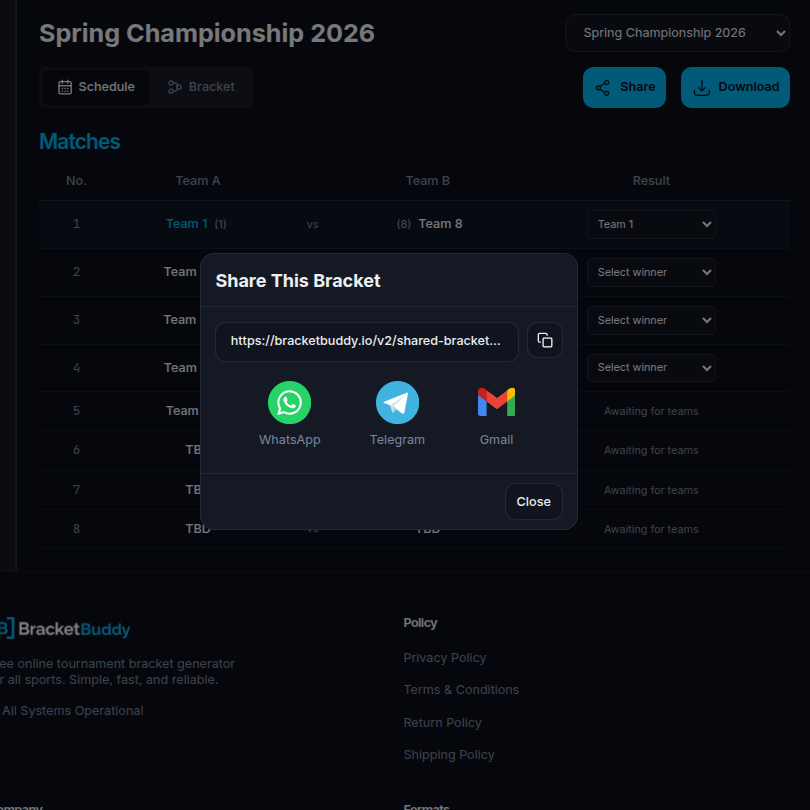
Step 05
Share Bracket
Get a professional, print-ready PDF of your tournament bracket.
- Click "Share" to save your bracket instantly
- Share as a high-quality
- Easily share with participants and teammates
06
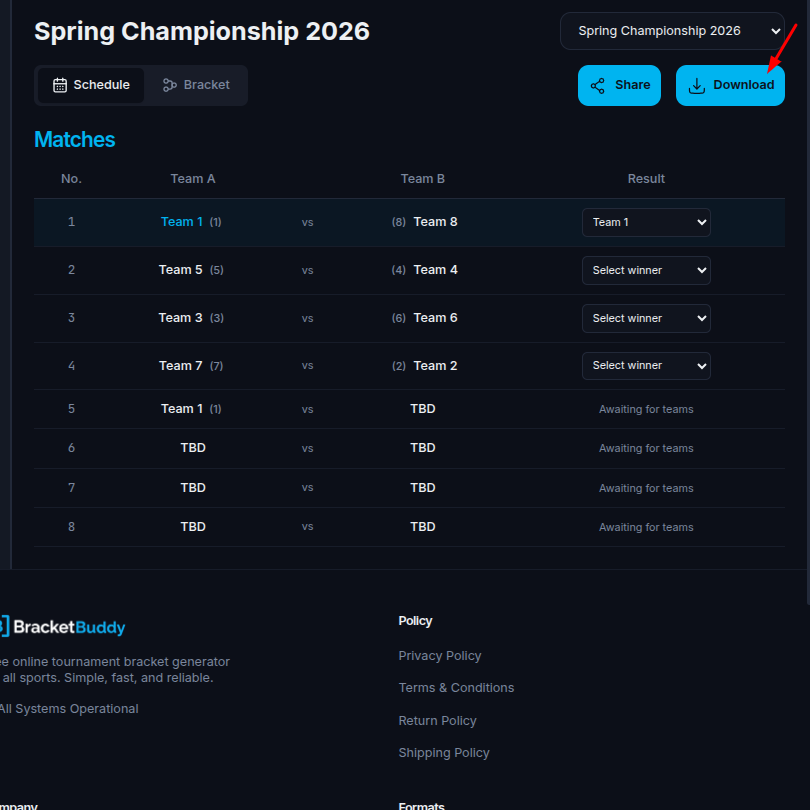
Step 06
Download Your Bracket
Get a professional, print-ready PDF of your tournament bracket.
- Click "Download" to save your bracket instantly
- Saved as a high-quality PDF file
- Easily share with participants and teammates
- Print-ready format for offline use